Quick answer
A vCard QR code stores your contact details inside the code, using the vCard 3.0 format. When someone scans it, their phone shows a contact preview and offers to save you. Keep the details short, and print the code at least 1 to 1.5 inches wide.
On this page
A business card with a QR code saves people a chore. They scan it, check the preview and tap save. This page shows the text format behind that code and how to print it so it scans. You can start with the free contact card QR code generator. Keep the details short, then test a printed card before you order a box.
What a vCard QR code is
A vCard is an electronic business card. Its file form is a Virtual Contact File, or .vcf file. It puts a name, phone number and other details into fields a phone can read.
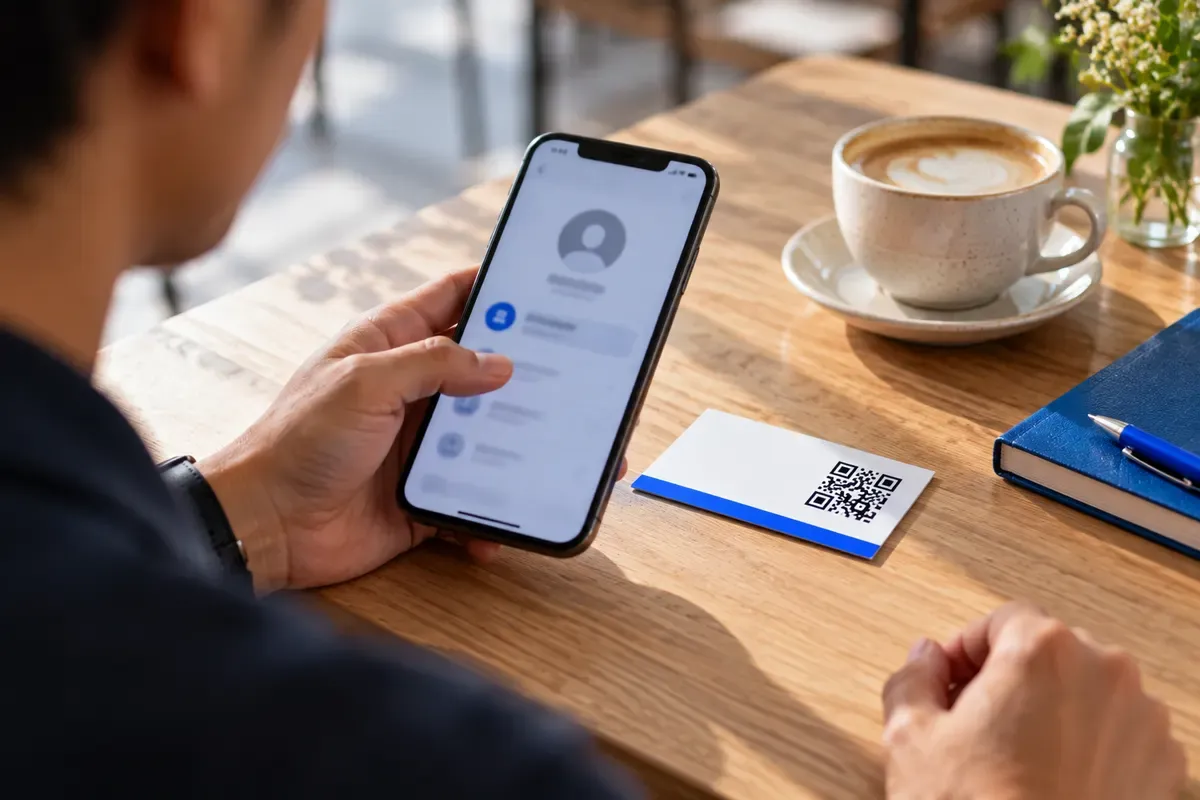
A vCard QR code holds that text inside the code. The phone looks for the first line, BEGIN:VCARD, which marks the start of a contact. Apple Contacts on iPhone and Google Contacts on Android can read the details. Most modern phones show a preview and let the person check it before saving. People do not need a special scanner app.
A code with missing tags may show plain text instead of a contact preview.
This page is about static codes. A static code holds the contact text itself, so you can read it without an internet connection. KeptLink makes static vCard codes 100% in your browser. Your contact details are never sent to or stored on KeptLink servers.
The vCard 3.0 format
The IETF RFC 2426 specification sets the rules for vCard 3.0. It needs two name fields. FN is the display name. N is the name split into parts.
A contact starts with BEGIN:VCARD and VERSION:3.0. It ends with END:VCARD. Use uppercase tags. Put each field on its own line, and end each line with \r\n. That is a carriage return followed by a new line.
Here is a sample for a made-up contact:
BEGIN:VCARD
VERSION:3.0
N:Rivera;Jordan;;;
FN:Jordan Rivera
ORG:Sample Studio
TITLE:Vice President\, Marketing
TEL;TYPE=CELL:+1-555-555-0100
EMAIL:jordan@example.com
URL:https://example.com
END:VCARD
These are the tags you will use most:
| Tag | What it holds |
|---|---|
| FN | Full display name (required) |
| N | Family;Given;Middle;Prefix;Suffix, in that order (required) |
| ORG | Company name |
| TITLE | Job title |
| TEL;TYPE=CELL | Mobile phone number |
| TEL;TYPE=WORK | Work phone number |
| Email address | |
| URL | Website address |
| ADR;TYPE=WORK | Work address, split into parts |
| NOTE | Contact notes |
Escape commas, semicolons and line breaks
A semicolon splits a field into parts, and a comma separates values. If your text contains one, put a backslash in front of it. The backslash tells the phone to keep the character as plain text. A line break inside a field is written as \n.
Valid:
TITLE:Vice President\, Marketing
NOTE:Call after 5\nAsk for Jordan
Invalid:
TITLE:Vice President, MarketingWithout the backslash, the comma can break the parser. The phone may drop the field or cut the record short.
What to include and what to leave out
A standard US business card is 3.5 × 2 inches. Each field you add uses some of that small space, and it makes more and smaller squares in the code.
Keep your first and last name, company, job title, one phone number, one email address and a short website. Pick the number you want people to call. Write the website short, such as example.com, without tracking tags.
| Field | Advice |
|---|---|
| First and last name | Include |
| Company and job title | Include |
| One phone and one email | Include |
| Short website | Include |
| Full street address | Leave it on the printed card if clients rarely visit |
| Extra phones and long notes | Omit unless people need them |
Here is how that works for real cards. A consultant can use a mobile number, a work email and a portfolio link. A real estate agent may need both a cell and an office number. In that case, leave the long office address out of the code and link to a property search page instead.
Ask of each field, “Will people use this to reach me?” If not, it belongs on the paper only.
Why dense codes fail to scan
Data density means how tightly the code packs its small squares, called modules. The whole grid of modules is the module matrix. The more text you store, the more modules the code needs.
QR codes come in versions. Under ISO/IEC 18004, the QR code standard, they run from Version 1 (21×21 modules) to Version 40 (177×177 modules). The DENSO WAVE QR code version tables show every grid.
Here is what that means for a card:
- A 150-byte contact leaves room for larger squares.
- A 400-byte contact makes tiny squares. Trim long fields or give the code more print space.
People hold a business card about 6 to 10 inches from their phone. At that distance, tiny squares can blur. Our generator has a scan and density checker, and it warns you when the contact text is over 300 bytes.
Error correction is spare data that helps a code survive damage. There are four levels: Level L (7%), Level M (15%), Level Q (25%) and Level H (30%). More spare data makes the code denser. When space is tight, Level L or Level M is the better choice.
A logo covers part of the code. KeptLink switches to the highest error correction level when you add one, so the code gets denser. Keep the contact short or print it larger. See our guide to adding a logo to a QR code.
Minimum print sizes for business cards
Start with how much text you have, then pick the code width. A US card measures 3.5 × 2 inches (88.9 × 50.8 mm).
| Contact size | Print width |
|---|---|
| Short contact, under 200 bytes | 1.0 inch (25.4 mm) |
| Name, company, title and a few more fields | 1.25 to 1.5 inches (32 to 38 mm) |
| Full contact, over 300 bytes | 1.5 inches (38 mm) |
In our own print tests, a full contact code was hard to scan at 1 inch. Every code we printed at 1.5 inches scanned. Under the download buttons, our generator shows the minimum size for your exact code. It also warns you if the PDF size you picked is too small.
Here are four cards, each with its own size:
- A consultant puts a short contact in the center of the back of a matte card. At 1.0 inch (25.4 mm), it scans quickly.
- A trade show sales rep uses 1.15 inches (29 mm) at the bottom right of the front, opposite the company logo. The text stays under 250 bytes. Test that layout in dim light before you print the batch.
- A real estate agent puts the code on the back of a glossy card, below the headshot. With a cell number, an office number and a link, the code is 1.25 inches (32 mm).
- A plumber or electrician needs only the business name, owner name, dispatch phone and website. A 1.0 inch (25.4 mm) code is enough.
Leave a quiet zone around the code. That is the blank border, at least 4 modules wide. Keep text and artwork out of it. Place the whole code and its border inside the printer’s safe area, away from the trim edges.
The back of the card gives the code the most room. On the front, use a corner opposite your name and logo. Add a short label such as “Scan to save my contact”, so people know it is not a link to a website.
For file types, send your print shop a vector file. SVG and PDF stay sharp when resized. Our PDF downloads come at exactly 1, 2 or 3 inches wide. PNG is a pixel image. If you need one, use the 1024 or 2048 pixel version and print it at 300 DPI (dots per inch). See SVG vs PNG vs PDF to choose. For more on sizing, read the QR code size guide.
vCard, MeCard and dynamic codes
MeCard is a compact contact format made by NTT DOCOMO. It uses fewer characters, but it supports fewer field types. vCard 3.0 handles separate work and mobile numbers, job titles and company names.
| Choice | Main benefit | Limit to consider |
|---|---|---|
| Static vCard 3.0 | Widely supported, reads offline | Printed details cannot change |
| MeCard | Shorter text, less dense code | Fewer contact field types |
| Dynamic code | Details can change after printing | Depends on the linked page and the provider’s terms |
vCard 4.0 is the newer format, defined in RFC 6350. It keeps FN required but makes N optional. Older phone scanners may fail to read its tags. Use vCard 3.0 for broad phone support on printed cards.
A dynamic code stores a link to a contact page. It suits people who expect a new number, job title or office address. Read static vs dynamic QR codes before you print.
Check trial terms before you download any code. QR Code Generator PRO has a 14-day trial. Its Starter plan costs $9.99/mo, billed annually at $119.88/yr. Some Reddit users report that printed dynamic codes stopped working after 14 days, when the trial ended.
Static codes made on KeptLink are free and never expire. If you do want a dynamic code, see KeptLink paid plans. Paid codes keep working even if you cancel, subject to safety checks.
How to test scans on iPhone and Android
A code can scan and still put a detail in the wrong place. Check both before you order 500 cards.
- Print a proof at actual size on plain office paper.
- Scan it with the Camera app on an iPhone. Then scan it with Google Lens or the Camera app on an Android phone.
- Check the name, cell phone, email and other fields in the contact preview.
- Check contrast and lighting. Use a dark code on a light background, with at least 4.5:1 contrast.
Our generator blocks color pairs with less than 4.5:1 contrast. It also warns you if you invert the code to light-on-dark.
If you see raw text, check the name fields and the header. If the camera will not read the code, trim the contact or print it larger. Our guide to troubleshooting scanning issues has more fixes.
Static vCard codes never expire, but they cannot change once printed. If your number or title changes, you need new cards with a new code. A few minutes of testing beats reprinting 500 cards.
Ready to make yours? Generate your print-ready vCard QR code in your browser with no signup. Then download vector SVG or PDF files from the free contact card QR code generator.
Frequently asked questions
What is the standard format for a vCard QR code?
Use vCard 3.0. Start with BEGIN:VCARD and VERSION:3.0, add the FN and N name fields, and finish with END:VCARD.
What happens when someone scans a vCard QR code?
Most modern phones read the contact details from the code, show a preview, and offer to save it. The person can review everything before tapping save. No scanner app is needed.
Why does my vCard QR code show plain text instead of saving a contact?
Check the BEGIN:VCARD header and the VERSION:3.0 line. Use uppercase tags and both name fields, FN and N. Escape commas and semicolons, and use correct line breaks.
What is the difference between vCard 3.0 and vCard 4.0 in QR codes?
Older phone scanners may fail to read vCard 4.0 tags. vCard 3.0 has broader support, so it is the safer choice for printed cards.
How big should a vCard QR code be on a business card?
A short contact (name, one phone number, email, short website) needs at least 1.0 inch (25.4 mm). With a company, title or a second phone, plan for 1.25 to 1.5 inches (32 to 38 mm). Our generator shows the minimum size for your exact code.
Can I edit my contact details after printing a static vCard QR code?
No. A static code holds your details directly, so it cannot be edited after printing. If your details change, make a new code and reprint your cards.
What is the difference between a vCard QR code and MeCard?
MeCard uses fewer characters, so its code is less dense. vCard 3.0 supports more contact fields, such as separate work and mobile numbers, and has wider phone support.
Do vCard QR codes need an internet connection to scan?
No. A static vCard code holds the contact text itself, so the phone reads it offline.
Is my contact information uploaded when I make the code?
No. KeptLink generates the code in your browser, and the contact details you type are never sent to our servers.