Dynamic QR codes
Dynamic QR code generator: edit after printing, track scans
Make dynamic QR codes you can edit after printing and track by date, place and device. Paid codes keep working even if you cancel, subject to safety checks.
Updated
In short
A dynamic QR code holds a short link that sends people to a page you choose. You can change that page after printing and see scans by date, place and device. A static QR code holds the final link, so it cannot change. Choose dynamic when you need edits or tracking.
A printed code is hard to fix. A web page is easy to fix. A dynamic QR code connects the two. You change where the code goes, and the printed code stays the same.
With KeptLink, paid codes keep working even if you cancel, subject to safety checks. Editing and the other paid features then need an active plan.
If your link will never change and you do not need tracking, you do not need a dynamic code. Use the free static QR code generator instead. It runs in your browser, needs no signup, and adds no watermark or ads.
What a dynamic QR code does
A dynamic code does not hold your page address. It holds a short link. A short link is a short web address that sends people on to another page. The page it sends them to is the destination.
When someone scans your code, this happens:
- The phone reads the short link in the code.
- The short link reaches our redirect server.
- The server sends the visitor to your destination with an HTTP 302 redirect. That is the standard way for a web server to say “go to this page instead.”
The printed pattern follows ISO/IEC 18004, the international QR code standard. The redirect is a separate step on the web. That is why you can change the destination without touching the print.
- Printed codePrinted once. Never changes.
- keptlink.app/
k7m2xqa Short linkStored inside the code. - Before: …/menu/springAfter: …/menu/summerDestinationYou change this. Scanners follow it in about 1 to 2 minutes.
A short link is also a short piece of data. A short piece of data makes a simpler, less dense pattern. Simple patterns are easier to print small and easier for cameras to read.
A static code stores your final address in the pattern itself. Nothing can change it after printing. Our guide on static vs dynamic QR codes compares the two in more detail.
How to make one
- Create a link in your dashboard and enter the destination URL. We check the address for known threats when you create it.
- Add a title and tags if you like. On Pro and Business, you can also choose your own short code instead of a random one.
- Pick a style, then save. The full designer opens on the link’s page.
- Choose colors, a frame and an optional logo. A frame with text such as “Scan me” tells people what to do.
- Download the code as a PNG, an SVG or a PDF.
- Test the printed copy with two or three phones before you print a large run.

How dynamic codes prevent reprint emergencies
A wrong link on a screen is easy to replace. A wrong link on engraved table blocks or bottle labels is not. Here are four places where the print outlasts the page it points to.
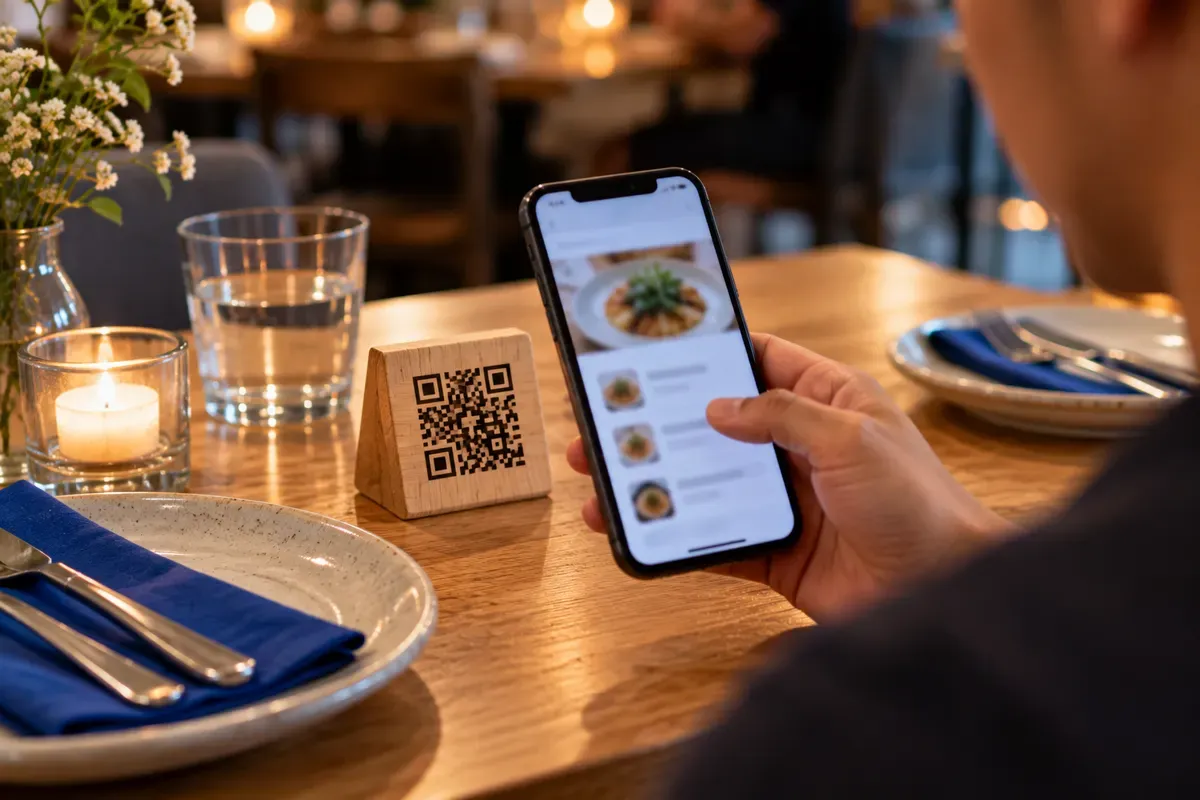
A restaurant. A 70-seat bistro has 35 laser-engraved wooden table blocks and 150 laminated counter flyers. The tap list changes every Tuesday, and seasonal dishes rotate every month. The manager edits the destination from a phone. The table blocks stay in service for years.
A real estate agent. Yard signs cost $40 to $60 each to print and mount. When a home goes into escrow, the agent points the same sign rider at the next listing or an open house page.
A hot sauce brand. The brand prints 10,000 bottle labels months before the bottles reach stores. If the online store changes or a holiday bundle launches, the printed bottles do not lead to a dead page.
A conference. A 1,500-person event prints badges, banners and programs. A speaker changes rooms. The organizer updates the schedule link, and every badge now leads to the right page.
Choose dynamic when the paper, sign or label will outlast the page it links to.
What happens when you edit
You change the destination on the link’s page. KeptLink checks the new address before it goes live. While that check runs, the previous destination keeps working, so visitors never land on an unchecked page.
Every change is saved in a destination history. You can also archive a link and restore it later. Edits reach scanners in about 1 to 2 minutes. They are not instant, so plan for that short delay when you change a link before an event.

Scan analytics: what you can track
Scan analytics means records of visits to your code. They help you see when people use a code and where they come from.
KeptLink records visits that come from real people. Bots, link-preview crawlers and prefetch requests are left out. For each link you can see:
- Visits by day, busiest weekday and busiest hour.
- Approximate unique visitors per day.
- Country and city.
- Device, operating system and browser.
- Referrer, which is the site or app that sent the visit.
Read these numbers with care:
- A visit through a QR code is very likely a scan, but it is not proof. Someone can also type or share the address.
- Unique visitors are approximate and counted per day. Over a longer range, KeptLink shows “visitor-days” instead, because the same person on two days counts twice.
- Locations are approximate. They come from the visitor’s network, and VPNs and mobile carriers can make them less exact.
- No raw IP addresses are stored.
Raw visit records are kept for 90 days on every plan. Daily totals are kept for good.
Pick your question before you open the numbers. A product brand can compare which cities scan its bottle labels. An event team can compare which days and hours bring the most visits.
Each link also has a UTM builder with presets such as printed flyer, business card and restaurant table. UTM tags are labels added to the destination, so Google Analytics can tell your print campaign apart from your other traffic. For more on this feature, see QR code tracking.
The hostage code trap
Some QR services let you print a dynamic code, then stop the redirect if you stop paying. The barcode still exists. The short link behind it no longer sends anyone anywhere. This is sometimes called a hostage code.
Read the terms before you print:
- What happens when the free trial ends?
- Does the redirect work after you cancel?
- Are there scan limits or ads?
- Must you pay for a full year at once?
- How much notice do you need to give to cancel?
Here is what some providers publish:
- QR Code Generator Pro has a 14-day trial. Its Starter plan costs $9.99 a month billed annually, which is $119.88 a year, for 2 dynamic codes. Cancelling needs 30 days notice before the billing cycle ends.
- QRFY says in its cancellation policy that dynamic codes are deactivated after cancellation.
- Hovercode’s pricing page lists 3 free dynamic codes that never expire, with unlimited scans.
Terms differ, and they can change. Check the current policy for the tool you plan to use. Our guide on whether QR codes expire explains the difference between a printed pattern and the redirect behind it.
Static or dynamic: which do you need?
Use static when the address will stay the same and you do not need scan records. A homepage, a fixed portfolio, a Wi-Fi login or a contact card can all fit.
Choose dynamic for links you expect to change, or when tracking matters. Menus, packaging, real estate signs and event programs are common uses.
| What matters | Static | Dynamic |
|---|---|---|
| Change the link after printing | No | Yes, from the dashboard |
| Scan records | No | Yes |
| Cost | Free generators exist | Depends on the plan |
| Needs a redirect server | No | Yes |
| Expiration risk | The code itself does not expire | Check trial and cancellation terms |
| Best for | Fixed details and addresses | Changing targets and tracked campaigns |
Decide before you send the artwork to print.
Best practices for printing
A working link still needs a code that a phone can read. Use this checklist.
- Size. Divide the scan distance by 10. A code scanned from 20 inches away should be about 2 inches wide. A restaurant table block works at about 2 by 2 inches. A yard sign seen from the sidewalk works at about 4.5 by 4.5 inches. Our QR code size guide has a full chart.
- Contrast. Use dark code on a light background.
- Quiet zone. Keep a blank white border around the code, at least 4 modules wide. A module is one of the small squares that make up the pattern. Every KeptLink download already includes this border, so do not crop it off.
- File type. Use SVG or PDF for professional printing. Both stay sharp at any size. PNG is made of pixels and can blur when enlarged. Our guide to SVG vs PNG vs PDF explains each one.
- Error correction. Every code carries backup data, so a phone can still read it when part is dirty or covered. Level L recovers from about 7% damage, M about 15%, Q about 25% and H about 30%. Use M for most codes and H when you add a logo. KeptLink switches to H for you when you add one.
- Test. Scan the printed copy with more than one phone, in the light where people will scan it.
Plans and what is included
Pick the plan that fits the number of links you need. Full details are on the pricing page.
| Plan | Price | Included |
|---|---|---|
| Starter | $10 a month, or $8 a month billed annually ($96 a year) | 100 dynamic links |
| Pro | $29 a month, or $24 a month billed annually ($288 a year) | 500 links, 3 workspaces, 1 custom domain, own short codes, CSV export |
| Business | $69 a month, or $55 a month billed annually ($660 a year) | 5,000 links, 25 workspaces, 10 custom domains, bulk upload, API access |
| Founders’ lifetime deal | $79 one time, limited to the first 100 buyers | 100 links and 1 custom domain |
A workspace is a separate area for your work, such as one per client. CSV export lets you download visit records as a table file.
A custom domain is your own web address for short links, such as qr.yourbrand.com. People then see your name when they scan. Our guide to custom domain setup walks through it, and the custom domains page has the details.
Pro and Business can also create many links at once from a CSV file. Read about bulk QR codes, or see the API reference if you want to create links from your own software.
If you only need a code that never changes, the free static generator is the better choice. If you will print more than a few signs, flyers or labels, a dynamic code protects what you paid for.
Frequently asked questions
Can I change where a QR code points after I printed it?
Yes, if it is a dynamic QR code. You change the destination link in your dashboard, and the printed code stays the same. The change reaches scanners in about 1 to 2 minutes.
What is the difference between a static and a dynamic QR code?
A static code stores your final address in the pattern, so it never changes. A dynamic code stores a short link. The short link sends each scan through a server to the address you chose, and you can change that address later.
Do dynamic QR codes expire?
The printed pattern does not expire. The redirect behind it needs a working service, so trial, scan-limit and cancellation rules depend on the provider. Read them before you print.
What happens to KeptLink dynamic QR codes if I cancel?
Paid codes keep working even if you cancel, subject to safety checks. Editing and the other paid features need an active plan.
What can I track with a dynamic QR code?
KeptLink shows visits, approximate unique visitors per day, dates, busiest hours, country, city, device, operating system, browser and referrer. Bots are left out. Locations are approximate, and no raw IP addresses are stored.
When should I use a free static QR code instead?
Use static when the address will stay the same and you do not need scan records. A main website, a Wi-Fi login or a contact card are common examples.
Can I use my own domain for dynamic QR code links?
Yes, on Pro, Business and the founders' lifetime deal. Pro and the lifetime deal include 1 custom domain, and Business includes 10.