QR analytics
QR Code Tracking: Scan Analytics That Respect Privacy
See when people scan your dynamic QR codes, from roughly where, and on what device. KeptLink keeps daily totals forever and stores no raw IP addresses.
Updated
In short
KeptLink shows how many people visit your dynamic QR code, on which days and hours, from which approximate city and country, and on which device, system and browser. It stores no names, phone numbers or raw IP addresses. Raw visit records stay for 90 days, and daily totals stay forever.
A printed QR code is hard to measure unless it points to a dynamic link. With one, KeptLink records each visit. It leaves out names and raw IP addresses. Daily totals stay forever.
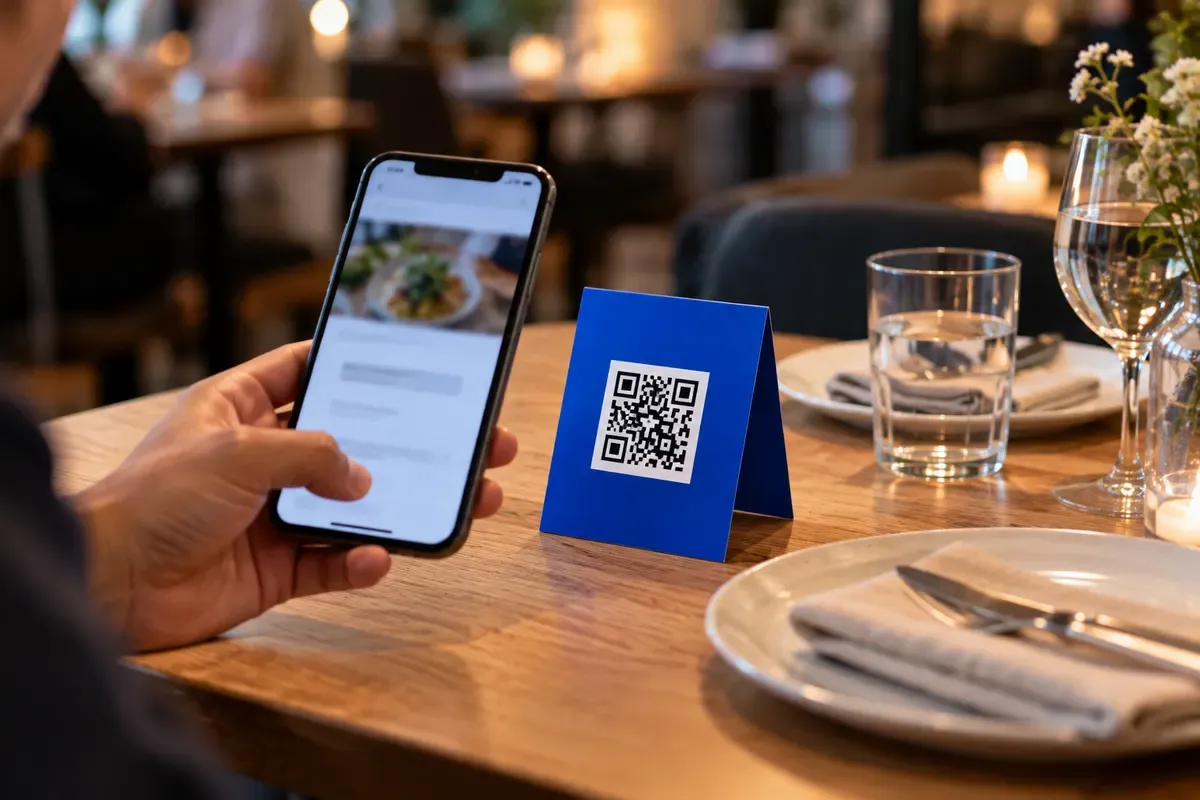
How QR code tracking works
A static QR code holds the final web address inside the pattern. The phone goes straight to that page, so no one can count the scan. A dynamic QR code holds a short KeptLink address instead. Read static vs dynamic QR codes if you are not sure which one you need.
Here is what happens when someone scans a dynamic code:
- The person scans the printed code with their phone camera.
- The phone opens the short KeptLink address.
- KeptLink sends the phone to your page with an HTTP 302 redirect. That is a standard instruction that says “go to this other web address.”
- After the person is on their way, KeptLink saves a small record of the visit.
Saving the record never delays the redirect. This also means a visit can be missed. Analytics are best effort. During a database problem, some visits may not be recorded.
A dynamic code and a short link are the same thing in KeptLink. The visit address tells them apart. A visit through the QR address counts as a QR visit. A visit through the plain short address counts as a link visit. You can also change where the code points without reprinting it. Changes reach scanners in about 1 to 2 minutes. Learn more on the dynamic QR codes page.
What the analytics show today
Open any link in your dashboard to see its numbers. The Analytics section shows the same views for all links in a workspace, plus a list of your top links. You can pick the last 7, 30 or 90 days, or choose your own dates.
You will see:
- Visits, QR visits and link visits, with a chart of visits per day.
- Visitor-days, which is each day’s approximate unique visitors added up over the dates you chose.
- Busiest days and hours. Hours follow your workspace time zone.
- Devices, operating systems and browsers, such as iOS, Android, Mobile Safari and Chrome.
- Countries, regions and cities. These are approximate.
- Referrers, which show the sites or apps that sent people to the link.
- Plain-sentence highlights, such as which weekday is busiest.
The charts update about every 10 minutes. A brand-new scan can take that long to appear.
Why visitor-days, not unique visitors
KeptLink can tell whether a visitor was already counted that day. It cannot follow the same person from one day to the next, and that is on purpose. So the unique count is approximate and works per day.
Over a range of dates, the numbers are added up. Someone who visits on three different days counts three times. That is why KeptLink calls the total “visitor-days” and never “unique visitors.”
A QR visit is very likely a scan
A QR visit is a visit through the QR code’s address. It is very likely a scan, but it is not proof. Someone could also type or share that address. KeptLink says so in the dashboard, and this page does too.

What a scan does not tell you
Scan data shows how a print run is doing. It does not give you a list of people.
| What you can see | What you cannot see |
|---|---|
| Visits and QR visits | A person’s name |
| Day and hour of each visit | A phone number or email address |
| Approximate country, region and city | Exact GPS coordinates |
| Device, operating system and browser | Social media profiles |
| The site or app that sent the visitor | Anything stored on the phone |
Camera apps do not pass a person’s contact details to the page they open. If you need leads, send people to a page with a form. A discount or a free download gives them a reason to fill it out.

The truth about QR codes and location
Every device that connects online has an IP address. This is a network address. A lookup can turn it into a rough place, such as a country, a region and a city. KeptLink gets this from Cloudflare’s IP-based location data. Mobile carriers and VPNs lower the accuracy, so treat city numbers as estimates.
GPS is different. It is the satellite system that finds a precise spot. A website can only use GPS if the person’s browser asks and the person taps “Allow.” A normal scan does not do this.
| Location method | What it gives you | What the person must do |
|---|---|---|
| IP lookup | Rough country, region and city | Open the linked page |
| Browser GPS | Precise coordinates | Tap “Allow” on a location request |
City-level data is enough for many print jobs. A brewery can see which cities scan the codes on its cans. It cannot see where any one customer lives. For worries about the code itself, read about QR code safety.
How KeptLink counts visitors without cookies
KeptLink does not place a tracking cookie on the phone of a person who scans. It counts visitors like this:
- Each day, KeptLink creates a new salt. A salt is a random value mixed in with other data. This one is 32 random bytes.
- For each visit, KeptLink puts the salt, the IP address, the browser details and the link together and scrambles them with SHA-256. SHA-256 is a one-way scrambling method. The result is a hash, which is a short code that cannot be turned back into the original data.
- KeptLink uses that hash to see whether the same visitor came back to the same link on the same day.
- The salt is destroyed after 48 hours. After that, old hashes cannot be recomputed or linked across days.
KeptLink never stores raw IP addresses. The CSV export (see below) never includes IP addresses or visitor identifiers either.
- A scanSomeone opens your link from a QR code.
- TimeApproximate city and countryDevice, system and browserWhat KeptLink recordsNo names and no raw IP addresses.
- Daily totalsWhat you seeRaw visits are kept for 90 days, daily totals for good.
How bots can inflate scan counts
A bot is software that opens links on its own. Some bots build link previews. When someone pastes a link into Slack, Facebook or iMessage, a preview bot may load it. Others work for search engines.
A prefetch request is different. A phone or browser loads a link in the background before anyone opens it. If a tool counts these as scans, a campaign can look busier than it is.
KeptLink does not record these as visits:
- Requests from bots, found with a bot-detection list called
isbot. This covers link-preview bots from Slack, Facebook, iMessage and others. - Prefetch requests.
- HEAD requests, which ask for page details without opening the page.
No filter is perfect, but your totals start out cleaner. This helps an event team that shares booth links in a team chat. The preview bots do not count as booth visitors.
How long you can look back
Retention is how long a service keeps your data. Check it before you print something that will stay out for months.
KeptLink keeps two kinds of data:
- Raw visit records for 90 days on every plan. The CSV export reads these.
- Daily totals forever on every plan. The charts read these totals.
So a property broker can look at a yard sign’s daily trend a year later, even after the raw records are gone.
Retention limits differ a lot between tools. This is what Bitly’s pricing page lists for scan data history:
| Bitly plan | Price | Scan data history |
|---|---|---|
| Core | $10/mo billed annually at $120/yr | 30 days |
| Growth | $29/mo billed annually at $348/yr or $35/mo monthly | 4 months |
| Premium | $199/mo billed annually at $2,388/yr or $300/mo monthly | 1 year |
Paid codes keep working even if you cancel, subject to safety checks. Read do QR codes expire before a print run. If you cancel, KeptLink keeps recording and keeps your daily totals. The detailed views stay hidden until you subscribe again.
CSV export
The Pro and Business plans can download a CSV file for a link. A CSV file is a table you can open in a spreadsheet. It lists each visit from the last 90 days in the dates you pick. Each row has the time, the channel, the location, the device and the referrer. Starter and the Founders’ lifetime deal do not include CSV export.
Add UTM tags and use Google Analytics 4
Google Analytics 4 (GA4) measures visits to your own website. UTM tags are short labels on a web address that say where a visit came from. They let GA4 tell your printed code from your other traffic.
KeptLink has a UTM builder on each link’s page. You do not need a spreadsheet.
- Open the link in your dashboard.
- Pick a preset, such as “Printed flyer” or “Restaurant table.” A preset fills in the source and the medium for you.
- Type your campaign name, for example
spring_sale. - If you want, add a term or a content label. The content label can tell two versions of a sign apart.
- Check the “Visitors go to” preview. It shows the final address.
- Select “Save UTM tags.”
KeptLink adds the tags when it redirects the visitor. You can change them later without reprinting the code. In GA4, open Reports, then Acquisition, then Traffic acquisition. For the exact meaning of each tag, see Google’s campaign parameter documentation.
A free static code has no redirect, so KeptLink cannot count its scans. You can still add UTM tags to the address before you print, and then watch the visits in GA4.
Where tracking helps most
- Restaurant table tents. Look at the busiest hours to plan staff. See the restaurant menu QR code guide for setup tips.
- Product packaging. A brewery can compare cities and regions to see where its cans get attention.
- Trade shows. Banners and lanyards carry the same dynamic code. Bot filtering keeps shared photos and chat previews out of your count.
- Yard signs. Signs can stay up through a long lease. Daily totals let you report on the whole run.
What it costs
Tracking comes with every KeptLink plan. The plan sets how many links you get and which extras you can use.
| KeptLink plan | Price | Notes |
|---|---|---|
| Starter | $10/mo, or $8/mo billed annually at $96/yr | 100 links |
| Pro | $29/mo, or $24/mo billed annually at $288/yr | 500 links, 1 custom domain, CSV export |
| Business | $69/mo, or $55/mo billed annually at $660/yr | 5,000 links, 10 custom domains, CSV export |
The Founders’ lifetime deal is $79 one time, capped at 100 buyers. It has 100 links and 1 custom domain. See the pricing page for every limit and how to buy.
Frequently asked questions
Can you track who scans a QR code?
No. A scan does not give you a name, phone number or email address. If you want those, send people to a page with a form they choose to fill out.
Can a QR code track your exact location?
No. Scan tracking gives an approximate place based on the visitor's IP address, such as a country, region and city. Exact GPS location needs a website to ask first, and the person must say yes.
What can a dynamic QR code track?
KeptLink shows visits over time, the busiest days and hours, QR visits and link visits, visitor-days, devices, operating systems, browsers, approximate countries, regions and cities, and the sites that sent people.
Can you track a free static QR code?
No. A static code holds the final web address and has no redirect in the middle, so nothing counts the scans. You can add UTM tags to the address before you print and watch the visits in your own website analytics.
Does KeptLink put cookies on people who scan?
No. KeptLink counts visitors with a daily scrambled value, not a cookie. The salt behind it is thrown away after 48 hours, and KeptLink never stores raw IP addresses.
Why can scan counts look too high on other tools?
Link preview bots and background prefetch requests can load a link without a person opening it. KeptLink leaves both out of your visit totals.
How long does KeptLink keep scan data?
Raw visit records stay for 90 days on every plan. Daily totals stay forever.
How do I track QR scans in Google Analytics 4?
Open the link in the KeptLink dashboard and add UTM tags, such as a source, a medium and a campaign name. Then look at your campaign traffic in your Google Analytics reports.